Audiobook & Script Production

Keep your performance,
swap your voice.

Record once in your own voice. Voxxen™ converts each line into a different character — instantly, offline, on your machine.

Download for Windows Download for Mac (Public beta) See how it works

Looking for the Windows version? Also available for Mac (public beta)

Your book never leaves your computer.

With Voxxen, nothing you record or write is ever uploaded.

Nothing uploaded

Your manuscript, your script and your recordings stay on your own computer. Voice conversion runs on your machine, not in the cloud.

Never used to train AI

We never receive your voice or your writing, so they can't be stored, shared, or used to train anyone's AI.

You own what you make

Every recording and stem you export is yours. Voxxen claims no rights to your audiobook or anything else you create with it.

Voxxen goes online only to check your license, download the voice library and check for updates. Privacy Policy

From your voice to a full cast

Listen to a sample
One voice. Full cast.
01

Set Up Your Cast

Create characters, assign voice models, and color-code your cast. Voxxen parses your script and maps every line automatically.

02

Record Your Performance

Record the entire chapter in one take. Switch between cast members with a hotkey as you go — Voxxen tracks every segment.

03

Convert & Tune

One click converts your recording into individual character voices. Fine-tune pitch, formant, and character using the built-in voice tuner.

04

Export Stems

Get clean, per-character WAV stems ready for your DAW. 24-bit, 48kHz. Production-ready out of the box.

Built for producers,
not hobbyists.

Every feature was designed around a real audiobook production workflow.
One-Take Recording

Record an entire chapter of your book or Act of your screenplay yourself as different characters.
70 Unique Voice Models

A professionally trained library spanning age 11 to 71, American, British, Scottish, Irish, Welsh, Canadian, European, and Indian accents.
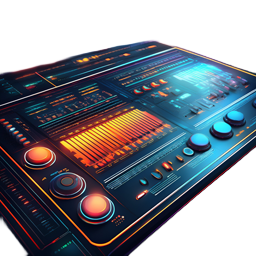
Live Voice Tuner

Record a 5-second test clip, then dial in pitch, formant ratio, and index rate in real time until the character sounds exactly right.
Novel & Screenplay Support

Import a PDF, Word (.docx) or Final Draft (.fdx) file. Voxxen parses dialogue, assigns it to your cast, and organizes everything by chapter or act.

Runs on Your Machine

No cloud processing. Conversion runs on your own GPU. Your audio and your projects never leave your machine.
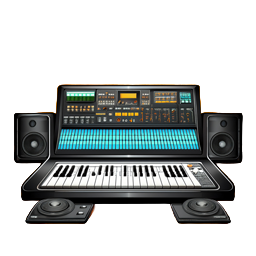
Clean Stem Export

Export per-character 24-bit WAV stems, ready to drop into any DAW. One file per character, perfectly trimmed.

🎭

Character Library

Save tuned characters — name, role, archetype, and all settings — to a personal library. Bring any character into a new project in one click, pre-configured and ready to record.
Voice models are the clay.
You're the sculptor.

Voxxen is not a voice cloner. It's a character creation tool. The included voice models are neutral raw material — gender, age, accent. What makes a character is what you bring to it.

🎙️

Your Performance

Record in your own voice. Timing, emotion, pacing, and energy carry through conversion unchanged. That delivery is entirely yours — the voice model only changes the timbre.

🎚️

Your Tuning

The Voice Tuning panel lets you dial in pitch, formant, and character weight. Two performers using the same voice model will produce completely different results. The creative choices are yours.

🎭

Your Character

The result is a wholly original character voice — not a copy of anyone. It exists because you made creative decisions. Voxxen is the instrument. The character is your work.

🎭

Character Library — Build a roster that travels with you

Tune a character once, then save their name, role, archetype, and tuning settings to your personal Character Library. Add them to any future project instantly, with all settings pre-loaded. A narrator you built for one audiobook can be used as a character in the next. Or vice versa.

A full cast, day one.

Every voice model is independently trained at 48kHz. No pitch-shifted duplicates — each model is a distinct speaker.

70+
Unique Models
100s
of Possible Characters
48k
Sample Rate
American British RP Scottish Irish Welsh Northern Irish Canadian European Indian Age 11–71 Male & Female Children to Elders

Own it. No subscriptions.

One app, two tiers. Start with Voxxen standard — upgrade to Pro to give any recording a new voice and train voices of your own.

New
Voxxen Pro™
$299
One-time purchase — for studios & publishers
  • Everything in Voxxen
  • Convert Audio: replace voices on imported audio you recorded outside of Voxxen (WAV, FLAC, MP3, OGG, AIFF)
  • Keeps your sample rate & bit depth
  • Train Voices: build your very own voice library with willing participants (NVIDIA GPU, 6 GB+, or a Mac with Apple silicon)
Buy Pro — $299

Already own Voxxen? Upgrade for $100

Prices are for the Voxxen software. The full library of 70 voices is included free and downloads on first launch.

Windows + NVIDIA GPU recommendedWindows with an NVIDIA GPU, or a Mac with Apple silicon

Voxxen runs on Windows 11. An NVIDIA GPU (RTX series) is strongly recommended — voice conversion is GPU-accelerated. Requires ~27 GB disk space. A Mac version for Apple silicon is coming soon.Voxxen Studio for Mac runs on Apple silicon (M1 or later) with macOS 13 or later, and is in public beta.

Ready to build your cast?

Download Voxxen and produce your first chapter today.

Windows: Voxxen is digitally signed by Voxxen LLC. Because it's new, Windows may still warn that it "isn't commonly downloaded." In Edge, click … → Keep. When you run the installer, click More info → Run anyway.

Mac: Open the download and drag Voxxen Studio into Applications. The first time you open it, macOS asks whether to open an app downloaded from the Internet: click Open.

System Requirements — Windows
OS
Windows 11 (64-bit)
GPU
NVIDIA GTX 1060 or newer
RAM
16 GB recommended
Disk
~27 GB free space
VRAM
6 GB minimum
Download
~20 GB
System Requirements — Mac
OS
macOS 13 or later
Chip
Apple silicon (M1 or later)
Memory
16 GB recommended (8 GB works, converts slowly)
Disk
~27 GB free space
Intel Macs
Not supported
Download
~18 GB

NVIDIA GPU recommended for fastest conversion  ·  AMD & Intel: CPU mode  ·  Mac coming soonMac: Apple silicon, public beta